







Construction Cash Flow Report — True Cash Position Tool
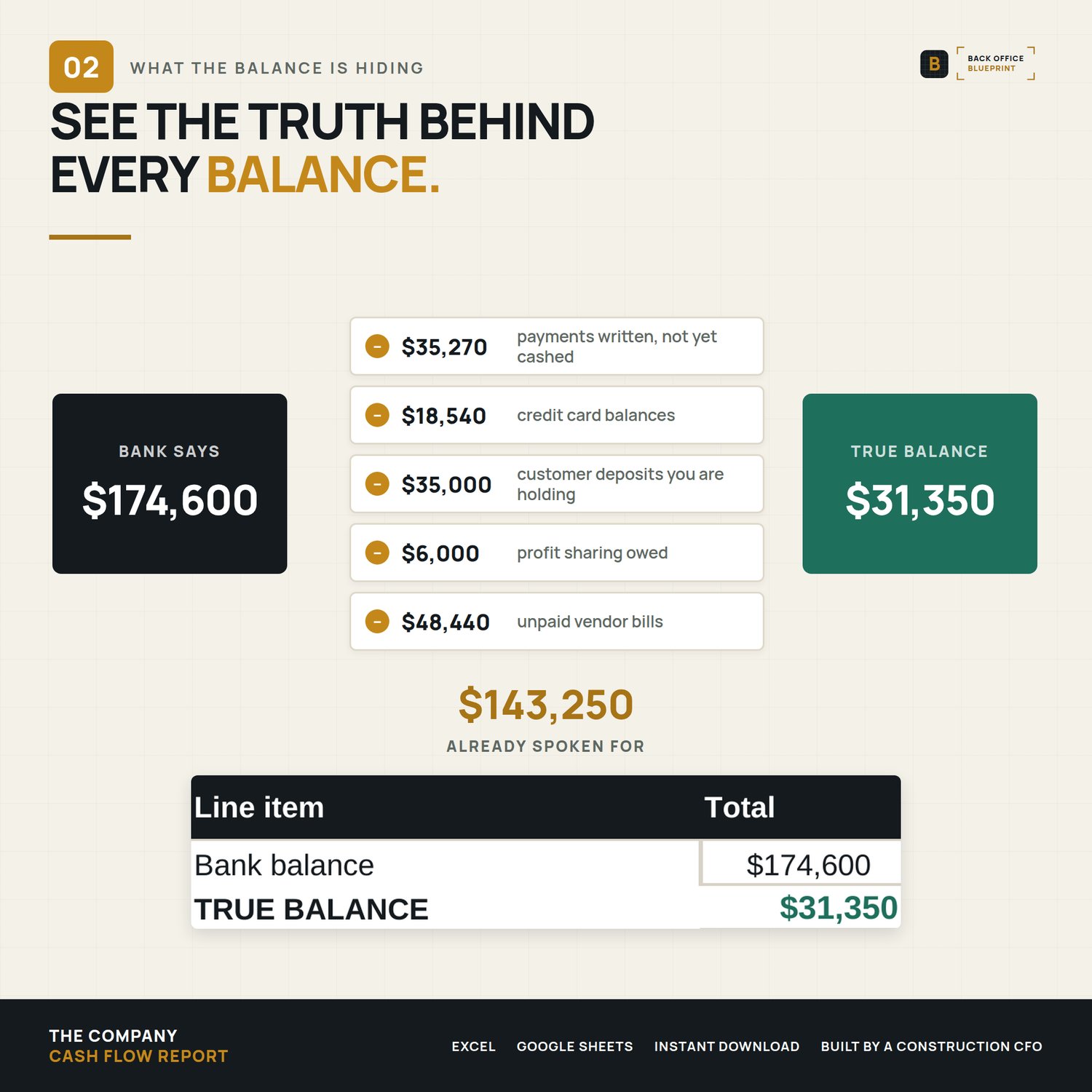
Your bank balance says one thing. What you can actually spend says another, and the difference is every customer deposit you're holding, every check that hasn't cleared, and every vendor bill sitting in the pile. Built for a builder running an operating account and a project account, not for a bookkeeping department.
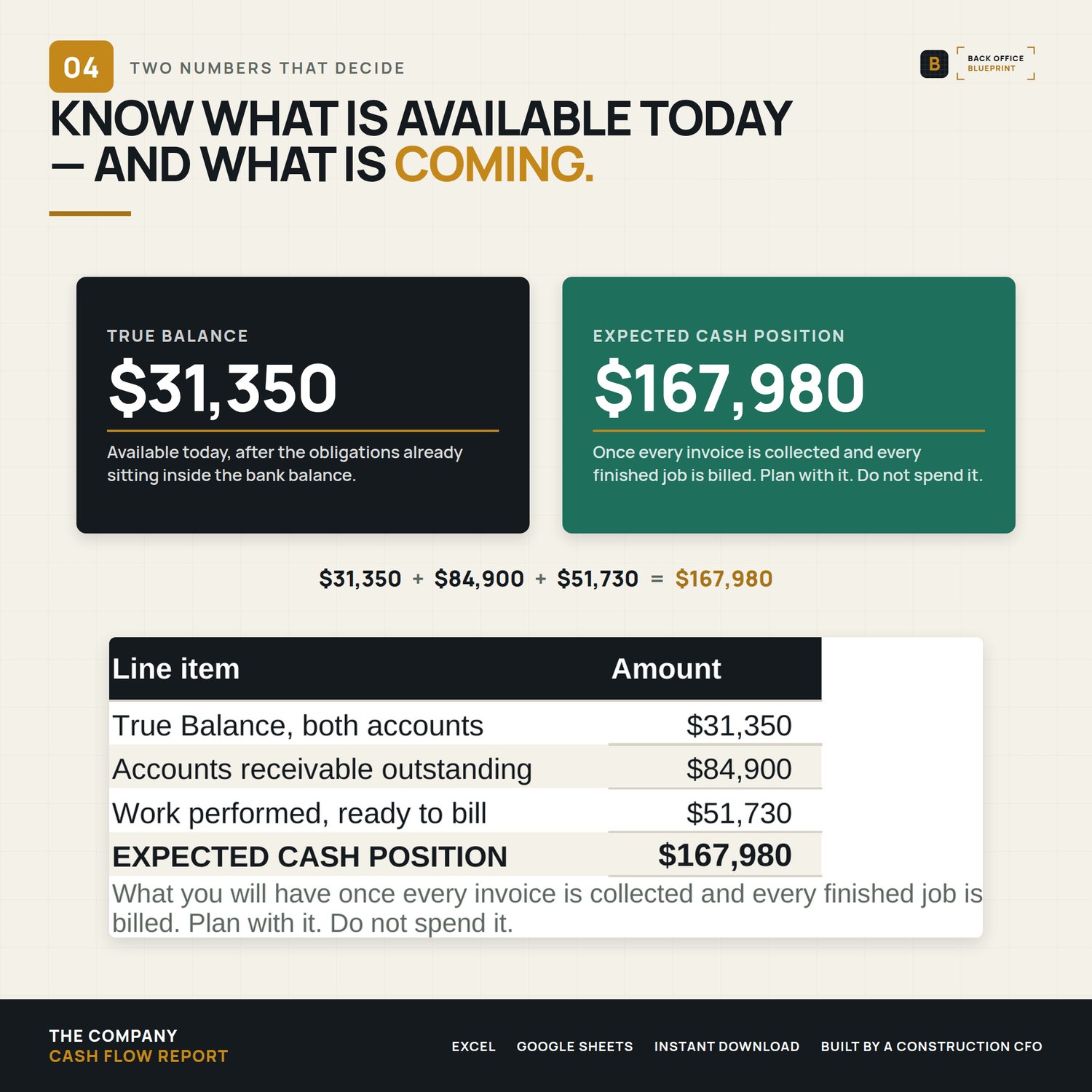
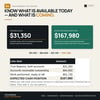
Most cash templates add up your bank balances and call it available cash. That number is wrong the moment you take a deposit. A deposit isn't income until the work is done, an uncashed check is already gone, and an invoice you sent last month isn't money you have. This workbook separates the two numbers that matter: what you can spend today, and what you'll have once everything lands.
Who it's for
You run a crew of 3 to 25 and you've made a payroll call off a bank balance that turned out to be somebody else's money.
Not for you if you're on accrual books with a controller producing a weekly cash forecast already.
What's included
- The Company Cash Flow Report workbook (Excel .xlsx)
- A filled DEMO workbook: the same file with a worked example in it, so you can see it running before you touch your own numbers
- A 12-page User Guide (PDF), tab by tab, with troubleshooting and FAQ
- A Start Here PDF: your download checklist, a code for 25% off your next system, and twelve free calculators
- License for single-business commercial use
What's inside the workbook
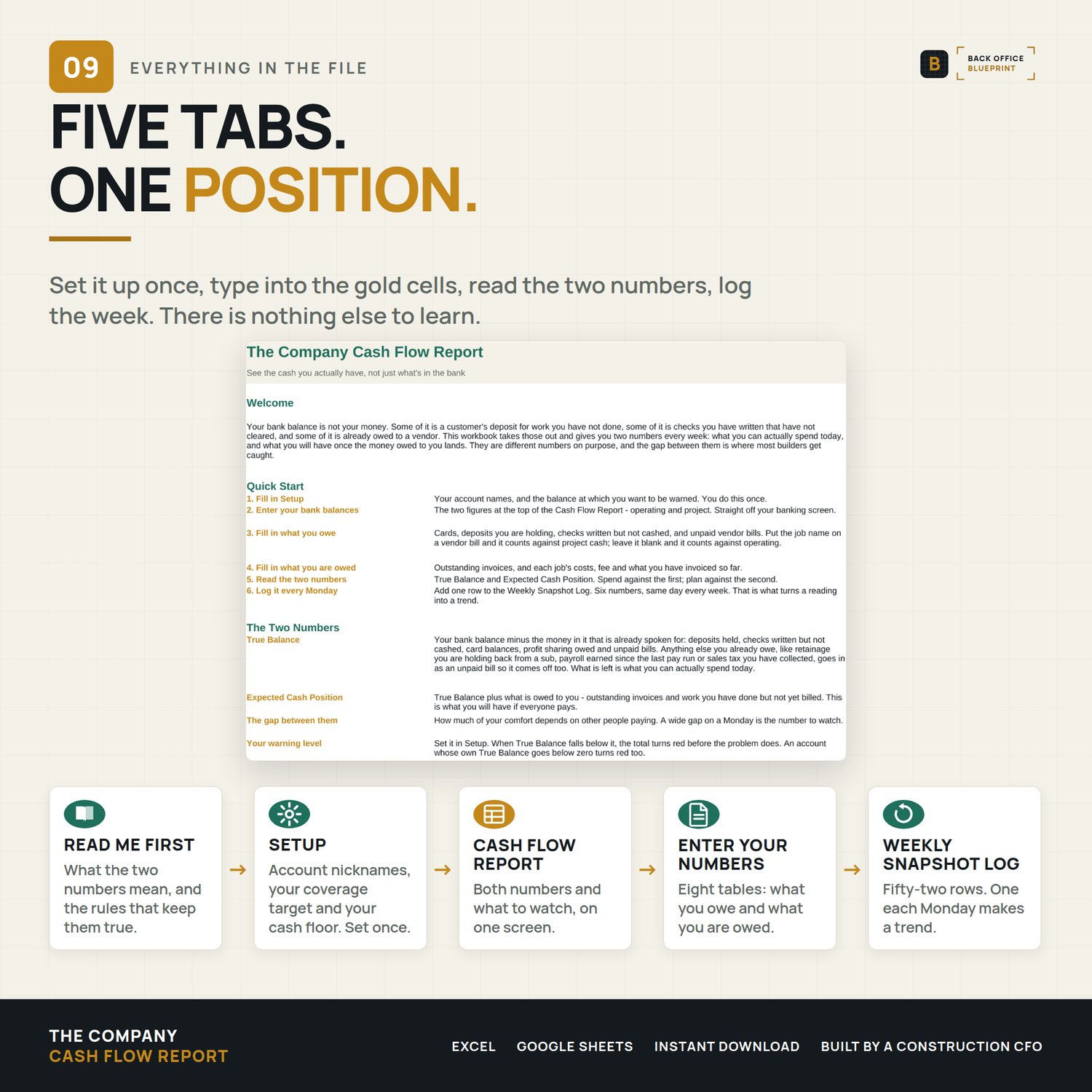
- 5 tabs: Read Me First, Setup, the Cash Flow Report, Enter Your Numbers, and a Weekly Snapshot Log
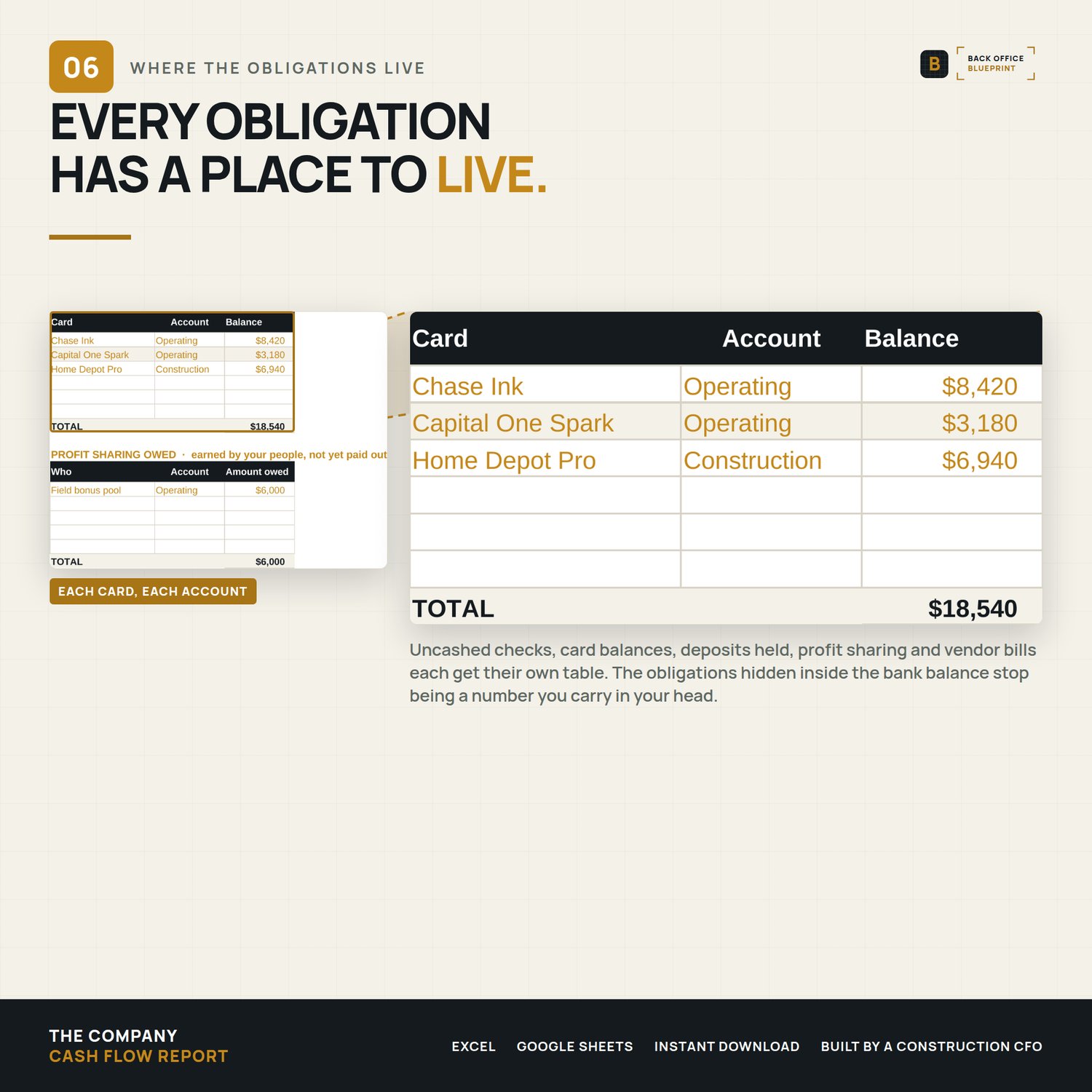
- 8 entry tables covering cards, profit sharing owed, customer deposits, receivables, project billing, uncashed payments, recurring overhead and unpaid vendor bills, with 89 rows of room
- True Balance and Expected Cash Position, calculated separately and never mixed
- Retainage you hold back from a sub, payroll earned but not yet paid and sales tax you've collected go in with the vendor bills, so they come off True Balance too
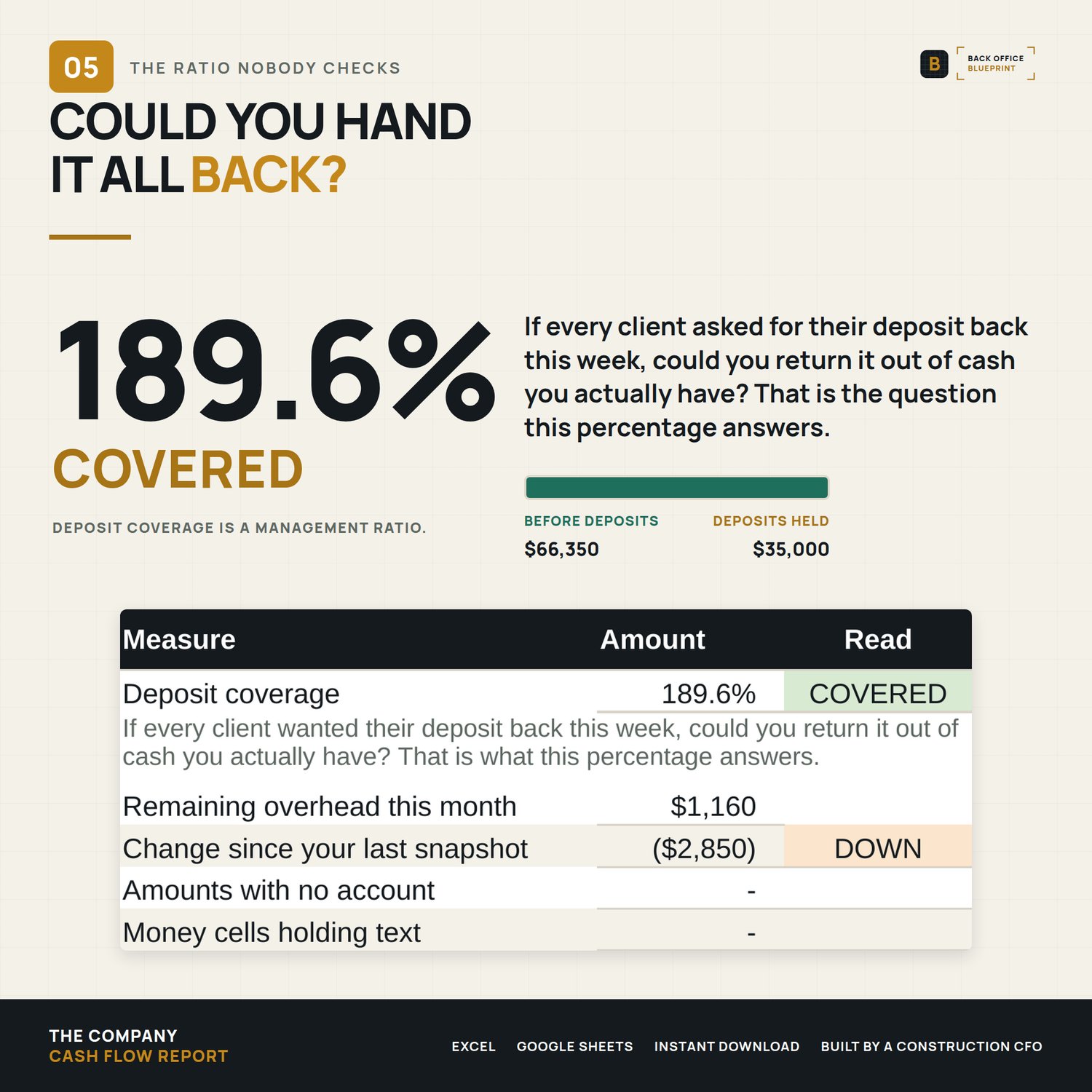
- Deposit coverage, which reads COVERED, TIGHT or SHORT against thresholds you set
- Two CHECK lines on the report that turn red when an amount has no account or a number was typed as text
- Receivables and vendor bills that age themselves (CURRENT, 30+, 60+, 90+ days) and color themselves
- A builder's fee percentage you set per job, not buried in a formula
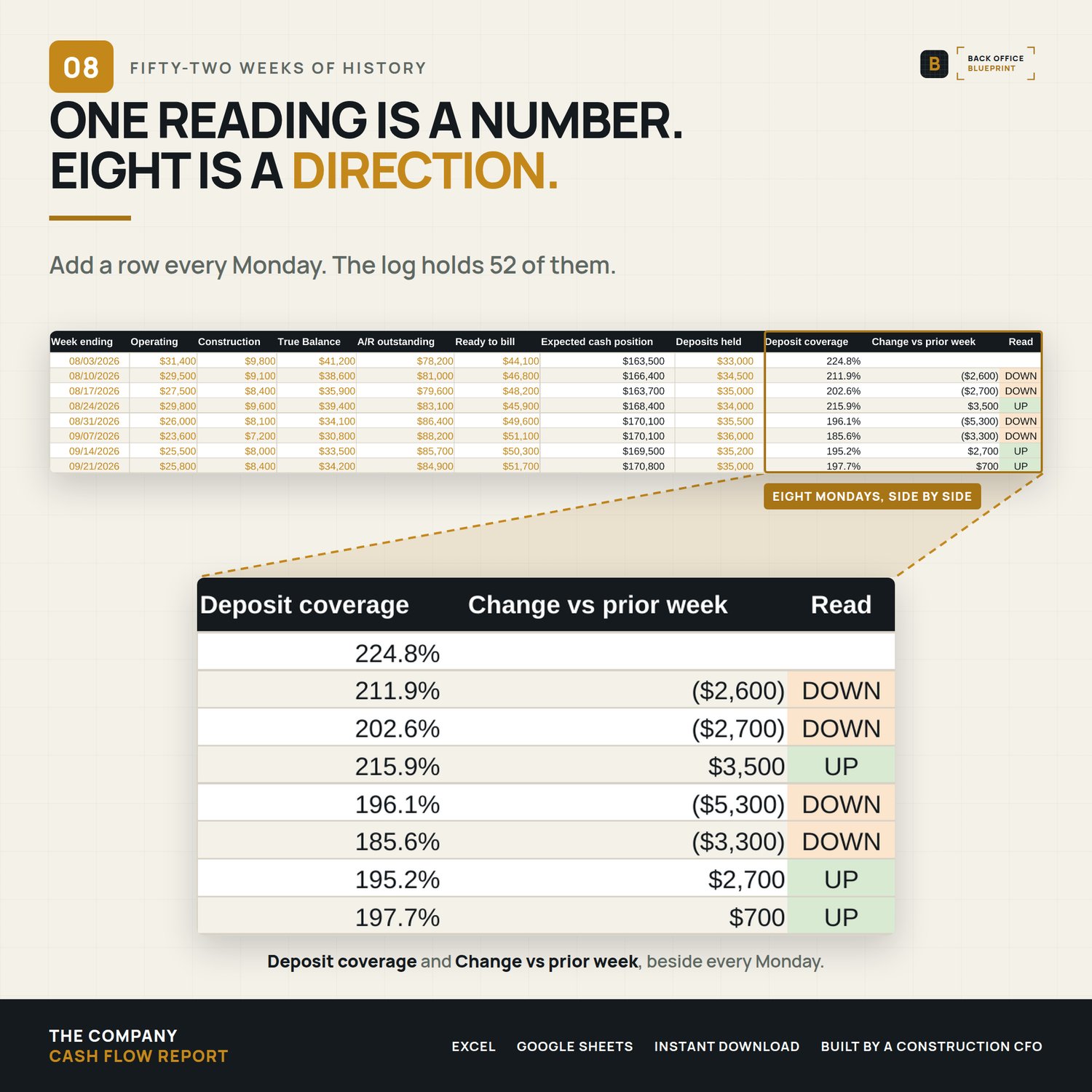
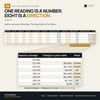
- 52 weeks of snapshot history with week-over-week change and a coverage trend
How it works
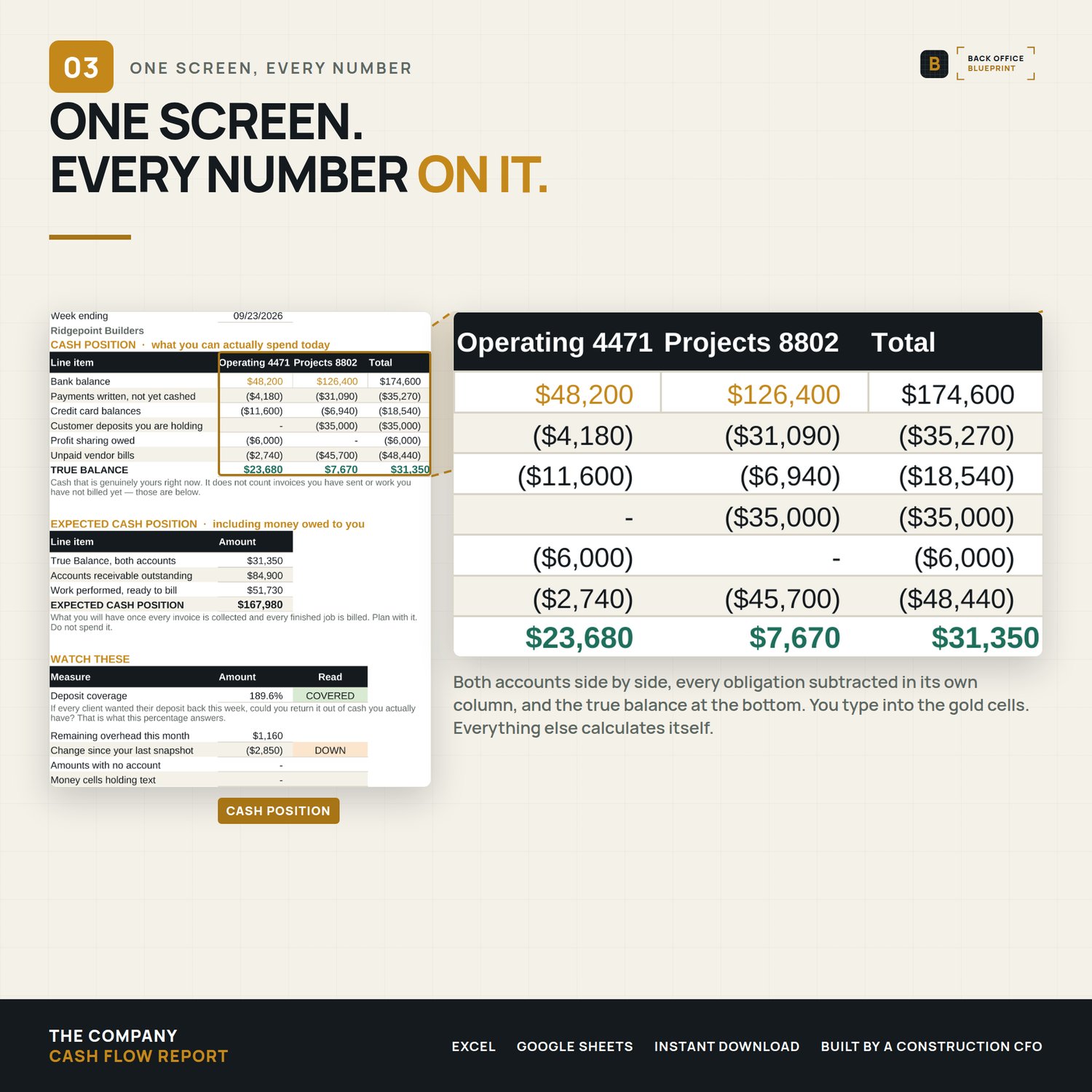
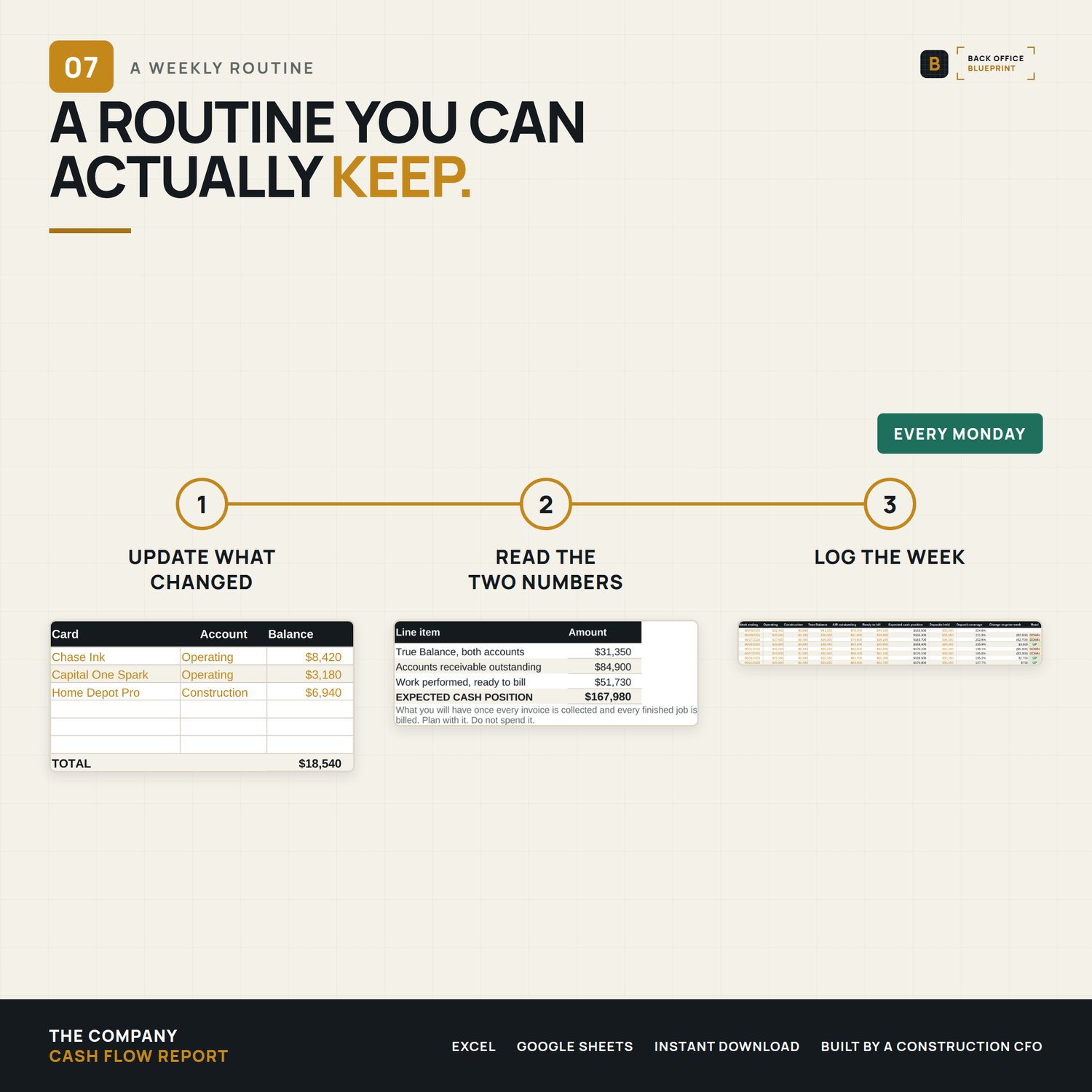
You type into the gold cells on Enter Your Numbers (what you owe and what you're owed), and the Cash Flow Report tab does the rest. Two bank balances go in at the top; True Balance, Expected Cash Position and the deposit coverage read come out. Add a row to the Weekly Snapshot Log every Monday and the number becomes a trend.
Open the filled DEMO first if you want to see it running: the example company has $174,600 in the bank and $31,350 it can actually spend.
Format
Microsoft Excel (.xlsx), Excel 2007 or newer. Excel is the reference version. Google Sheets compatible: every formula uses functions supported by both Excel and Google Sheets. It has not been tested inside Sheets, so formatting and drop-down lists can shift there. Nothing to install, no subscription, no account to connect. Your numbers stay in your file.
Built by a construction CFO.
Pairs with
The Company WIP & Over/Under Billing System. This report tells you what is in the bank. That one tells you how much of it you have actually earned, so a healthy balance built on over-billing does not read as profit.