












Construction Change Order Form — Excel with Auto Totals
You did the extra work on a handshake. Now you're arguing about whether it was ever approved.
One signed change order closes that — itemized costs, overhead and profit, and the new contract total and completion date calculated for you.
Built for a five-person crew and not a project management department. Fill it out at the truck, get a signature, and bill it.
Who it's for
You run a crew of 3 to 25 and you bill extras — custom builders, remodelers, and specialty subs who keep eating scope creep.
Not for you if you already run change orders inside Procore or Buildertrend. This is for contractors working out of Excel.
Stop doing changed work on a handshake.
Most builders don't lose money because the work is hard. They lose it on the extras — the "while you're at it" patio, the verbal "yeah, go ahead," the added days that quietly become your delay. None of it written down, none of it signed, and half of it never billed.
This system fixes that. The Change Order System is a clean, white-label change order that documents the scope change, prices it, totals it, and gets it signed — with the new contract value and completion date calculated for you. It's not a flat form you total by hand. It's a system.
What's inside
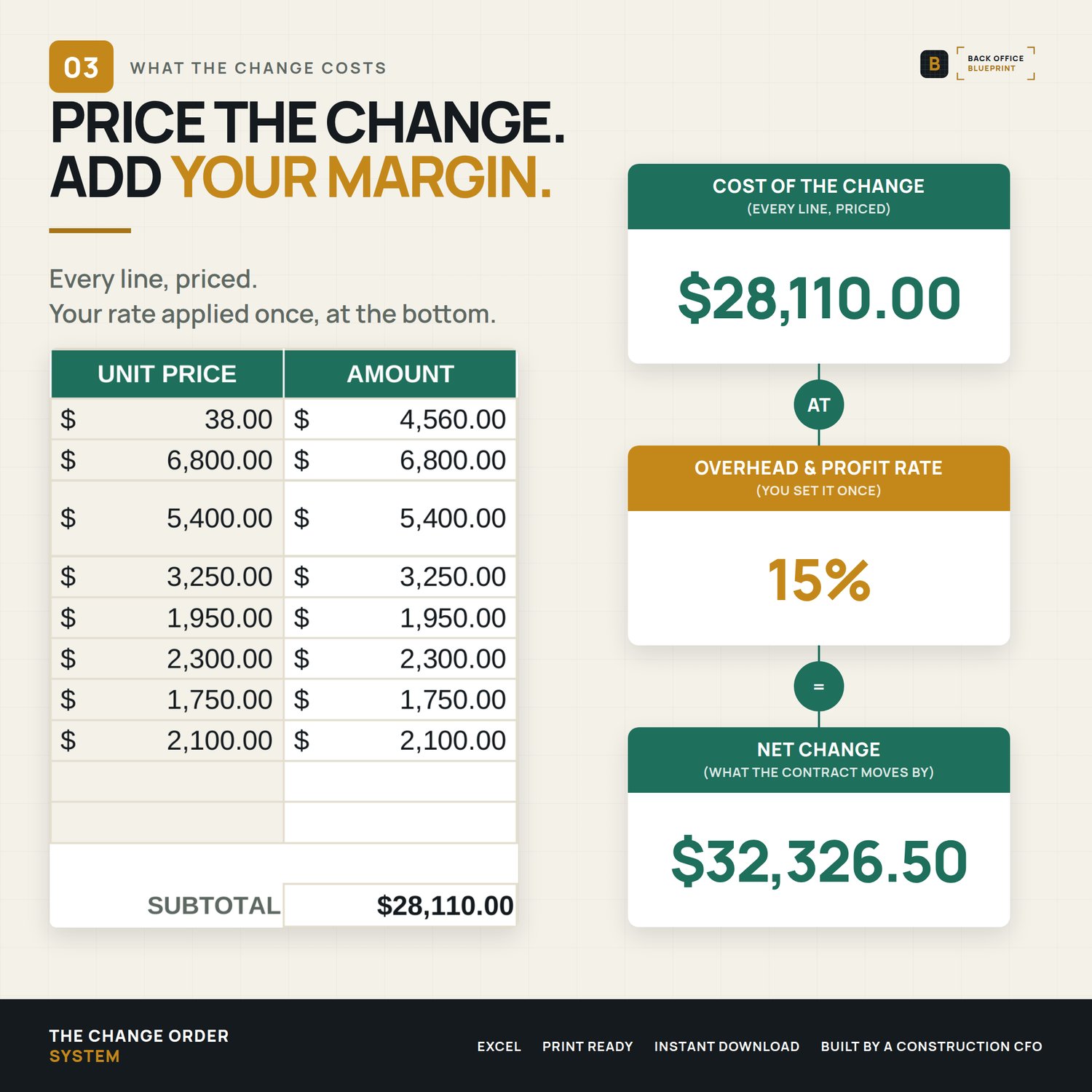
- The Change Order Form (Excel) — Your letterhead at the top (company name, license and contact), then an itemized cost table: description, category, quantity, item #, unit price. Add overhead & profit, and the net change for the change order totals itself.
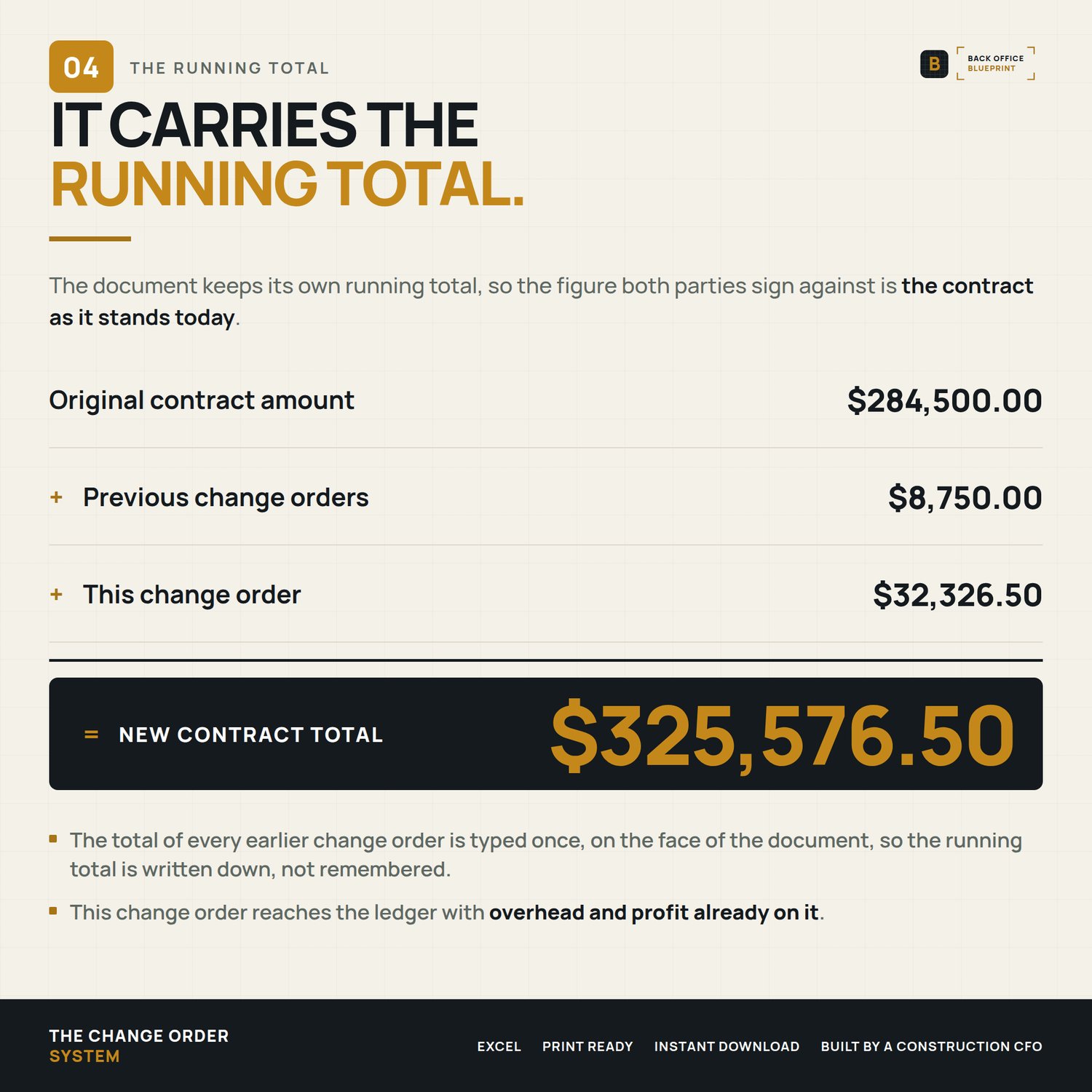
- Automatic contract math — The New Contract Total calculates from your original contract + previous change orders + this one. Change a number and it updates instantly.
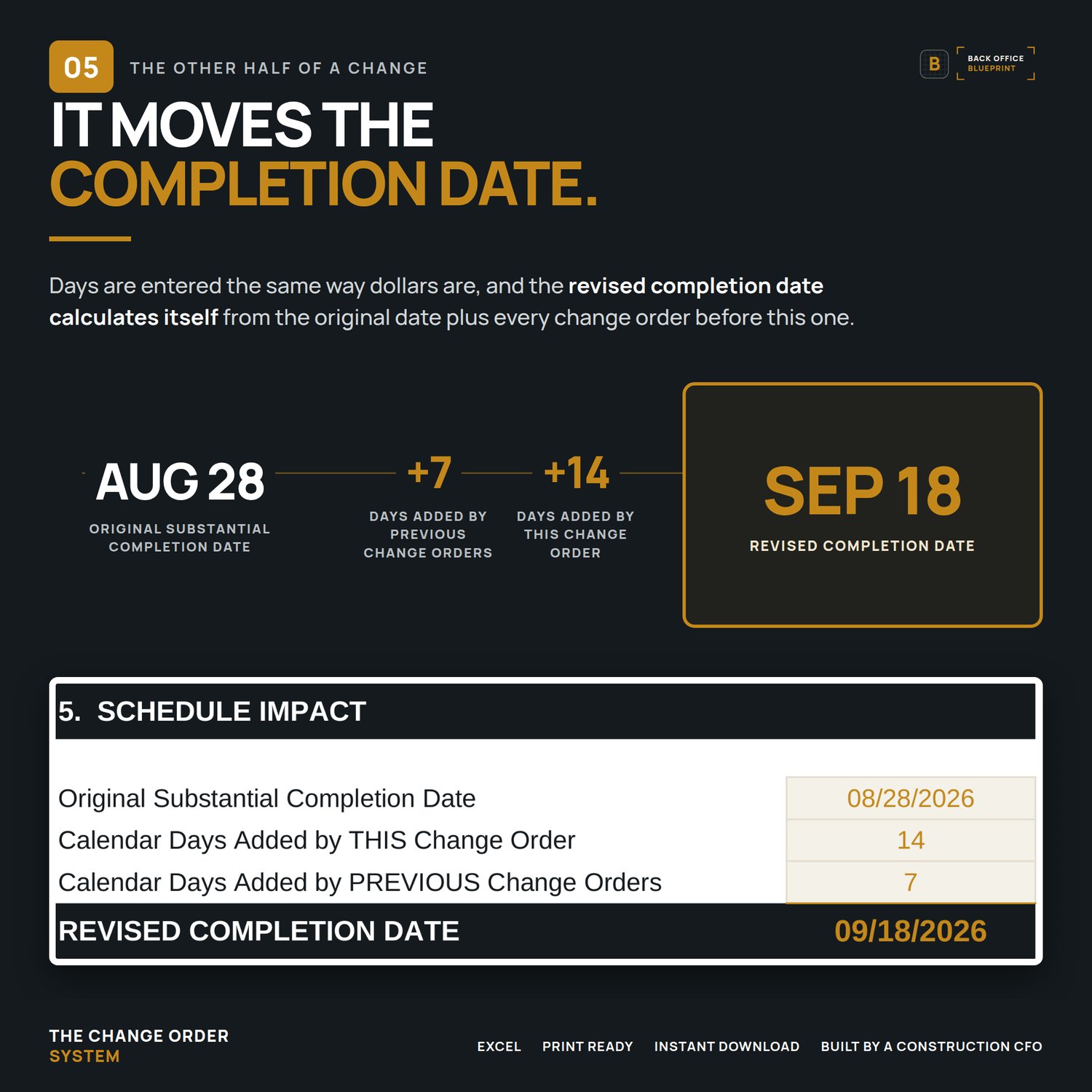
- Automatic schedule math — Enter the original completion date and the calendar days this change adds; the Revised Completion Date fills itself.
- Binding amendment language — Built-in terms that tie the change to your original contract, authorize the work, extend the schedule, and require a signature before work begins.
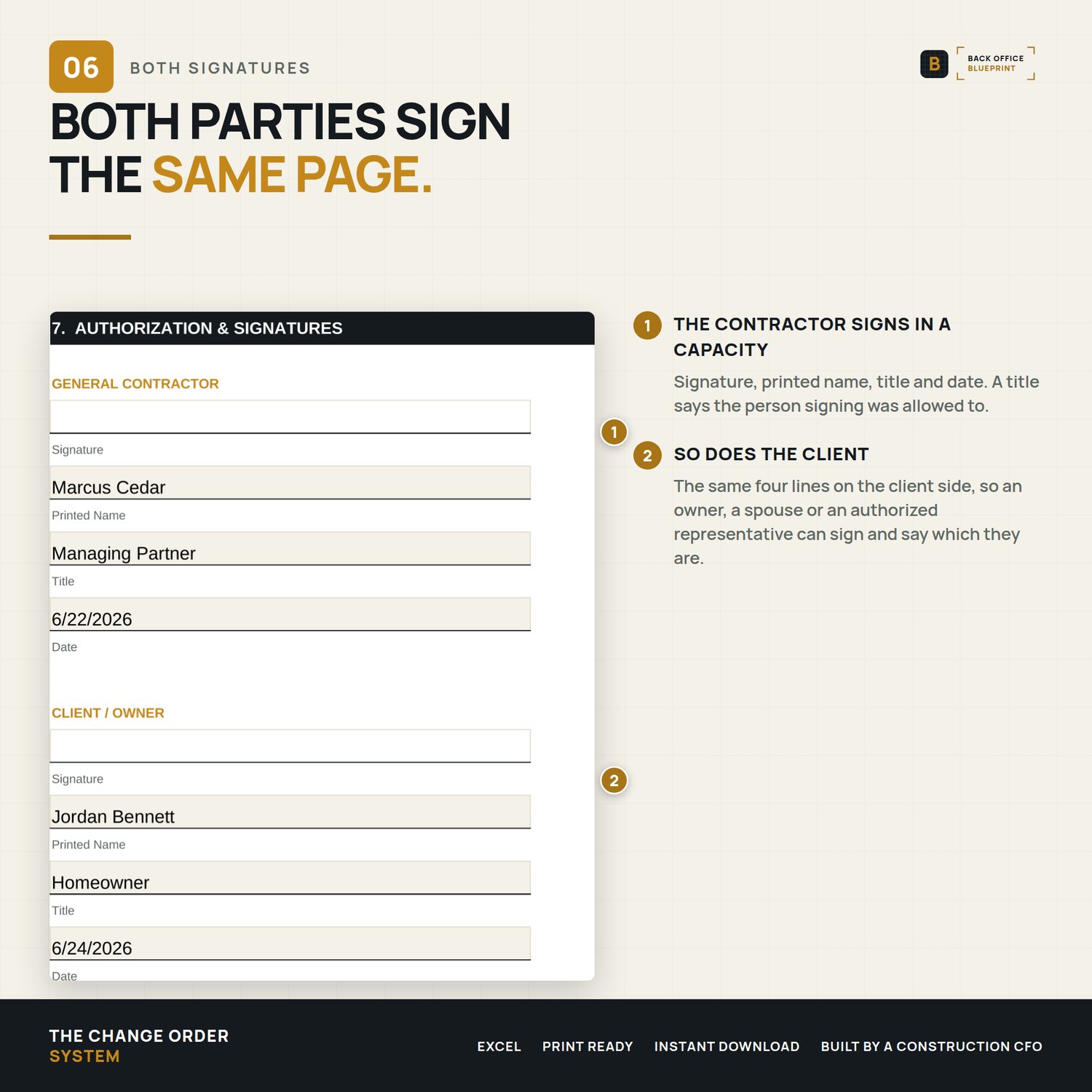
- Dual signature panel — General Contractor and Client / Owner, each with signature, printed name, title and date, so an owner, a spouse or an authorized representative can sign and say which they are. Print it, PDF it, or run it through any e-sign tool.
- Attachments named on the form. A field for the drawings, photos and quotes the change depends on, dated and referenced by the terms, so what was agreed is not a separate pile of paper.
- Step-by-step User Guide (PDF) — A plain-English walkthrough of every field, the math, and the legal language, with best practices and troubleshooting.
- Filled sample — A completed change order so you can see exactly what a finished one looks like and use it as a reference.
Why it's different
- It does the math. Itemized costs roll up to a net change, a new contract total, and a revised completion date — automatically. No formulas to build, and the arithmetic is done for you.
- Turn approved changes into a clear record. Amendment language that ties the change to your original contract and asks for both signatures, so the approval is on paper instead of in someone's memory.
- It carries your letterhead. Your company name, license and contact type across the top, so what your client signs comes from your office and not from a template.
- No subscription. A one-time Excel workbook — not another monthly platform.
- Built by a construction CFO who prices and bills change orders every day.
The numbers
1 white-label change order form · itemized cost table with item/budget codes · automatic subtotal, overhead & profit, and net change · automatic new contract total · automatic revised completion date · built-in binding amendment terms · dual signature panel · step-by-step User Guide · filled sample.
How it works
- Buy and download instantly (Excel .xlsx + a User Guide PDF + a filled sample).
- Open in Excel for Mac or Windows (also works in Google Sheets — import the Excel file).
- Set your letterhead once. Enter the change and your itemized costs.
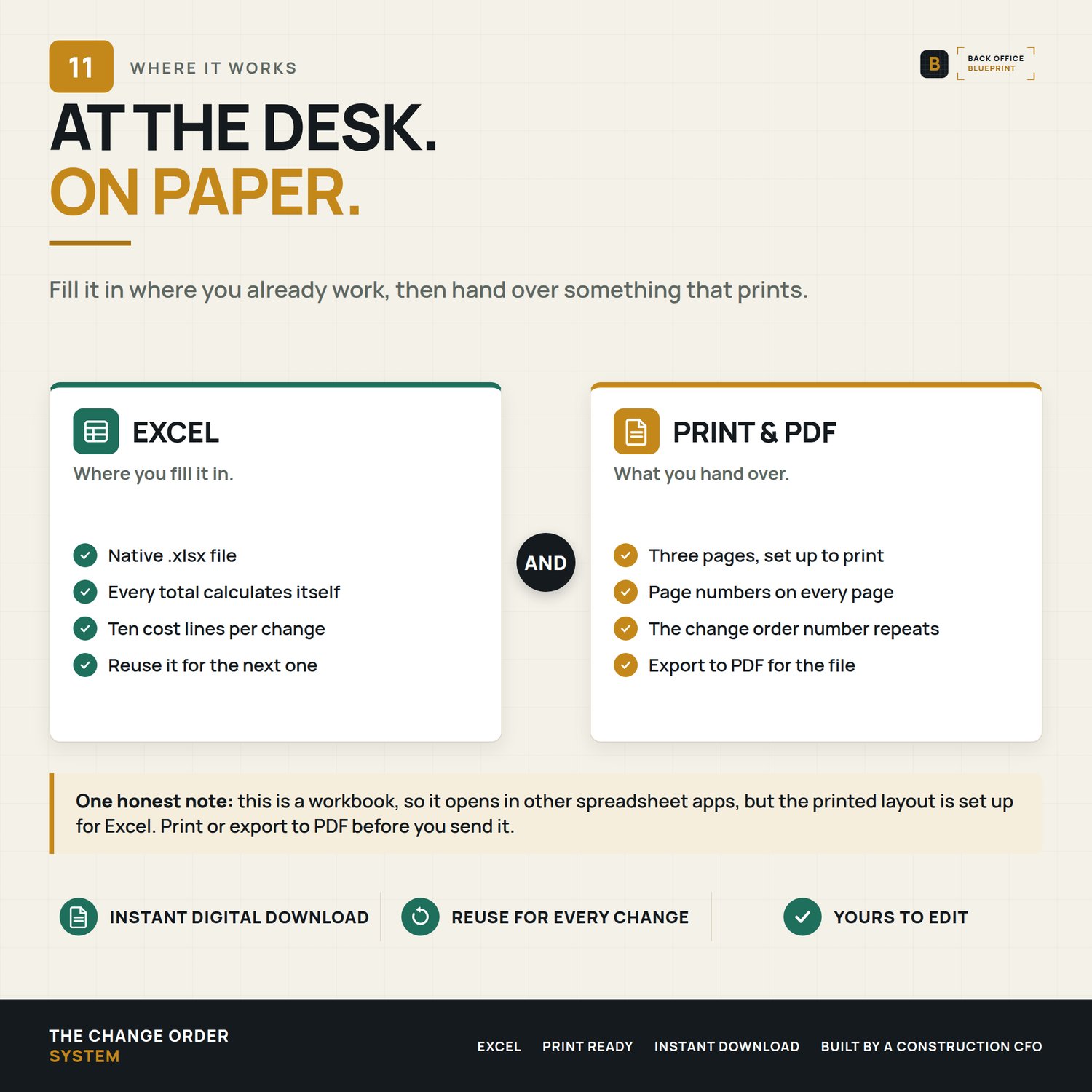
- The totals, new contract value, and revised completion date fill themselves — export to PDF and get it signed.
Details
Format: Microsoft Excel (.xlsx) + PDF guide and sample. Excel 2019 or newer recommended; also opens in Google Sheets with minor formatting differences.
License: Single-business commercial use. Use it on every change order your business sends; modify freely for your own use. Don't redistribute, resell, or share with another business.
Delivery: Instant digital download. Nothing physical ships. All sales final on digital products.
Please note: The change order and its terms are an editable, general-purpose template — not legal advice. Construction-contract rules vary by state; have your attorney review and adapt it before relying on it.
Questions before you buy? Email hello@getbackofficeblueprint.com — we respond personally.