









Construction Billing & Collections — AR Aging Tracker
Stop chasing payments in your head.
One Excel system that tells you who owes you, how overdue they are, and who to call today — and builds your client-ready draw requests while it's at it.
Built for a five-person crew and not an accounts receivable department. Every week the same three questions eat your time: did that draw ever get paid, how overdue is that invoice, and who do I need to call before payroll.
Who it's for
You run a crew of 3 to 25 and you invoice more than five clients at a time — residential builders, GCs, remodelers and specialty trades running draws and retainage.
Not for you if your invoicing already lives in QuickBooks with AR aging turned on. This is for contractors working out of Excel.
WHAT'S INSIDE
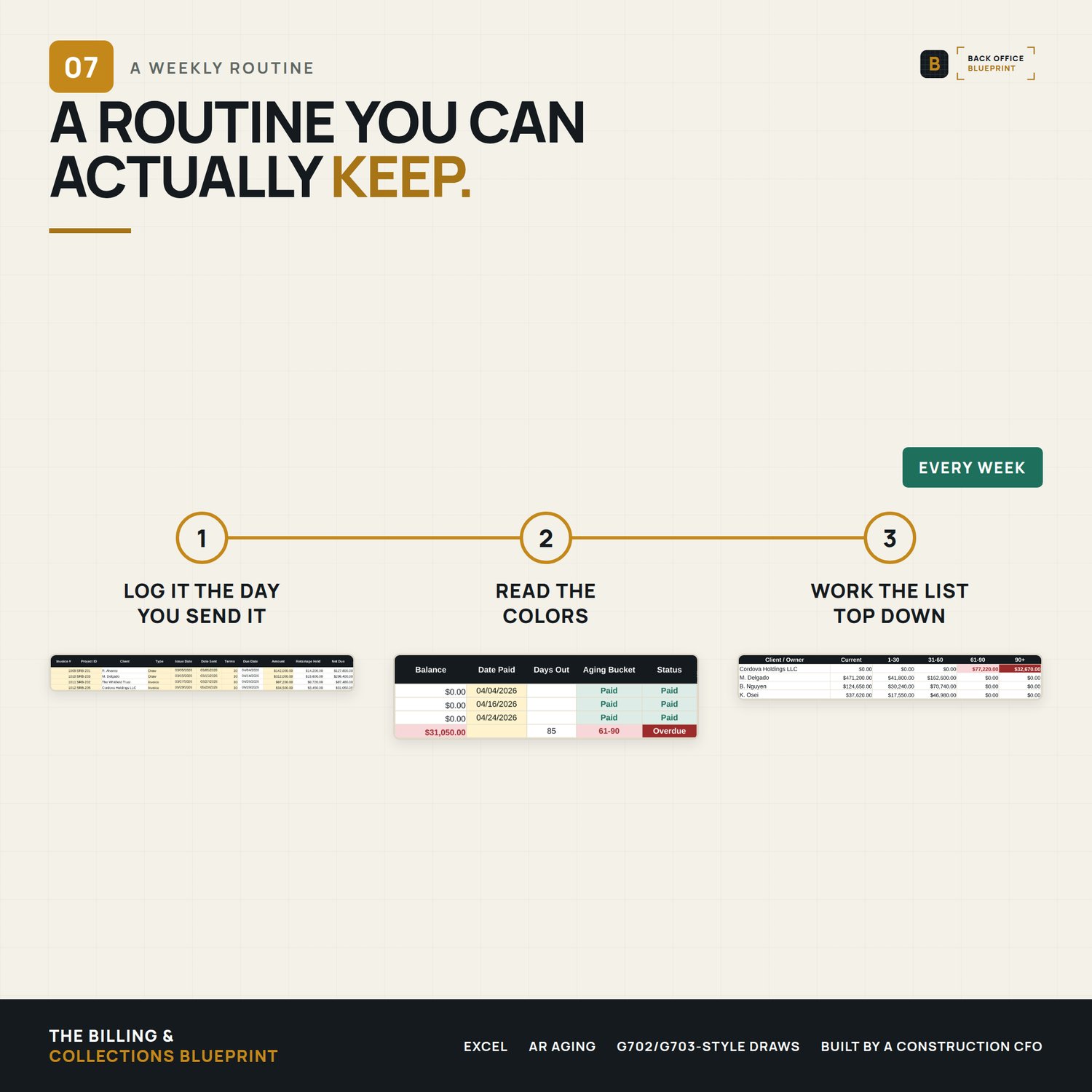
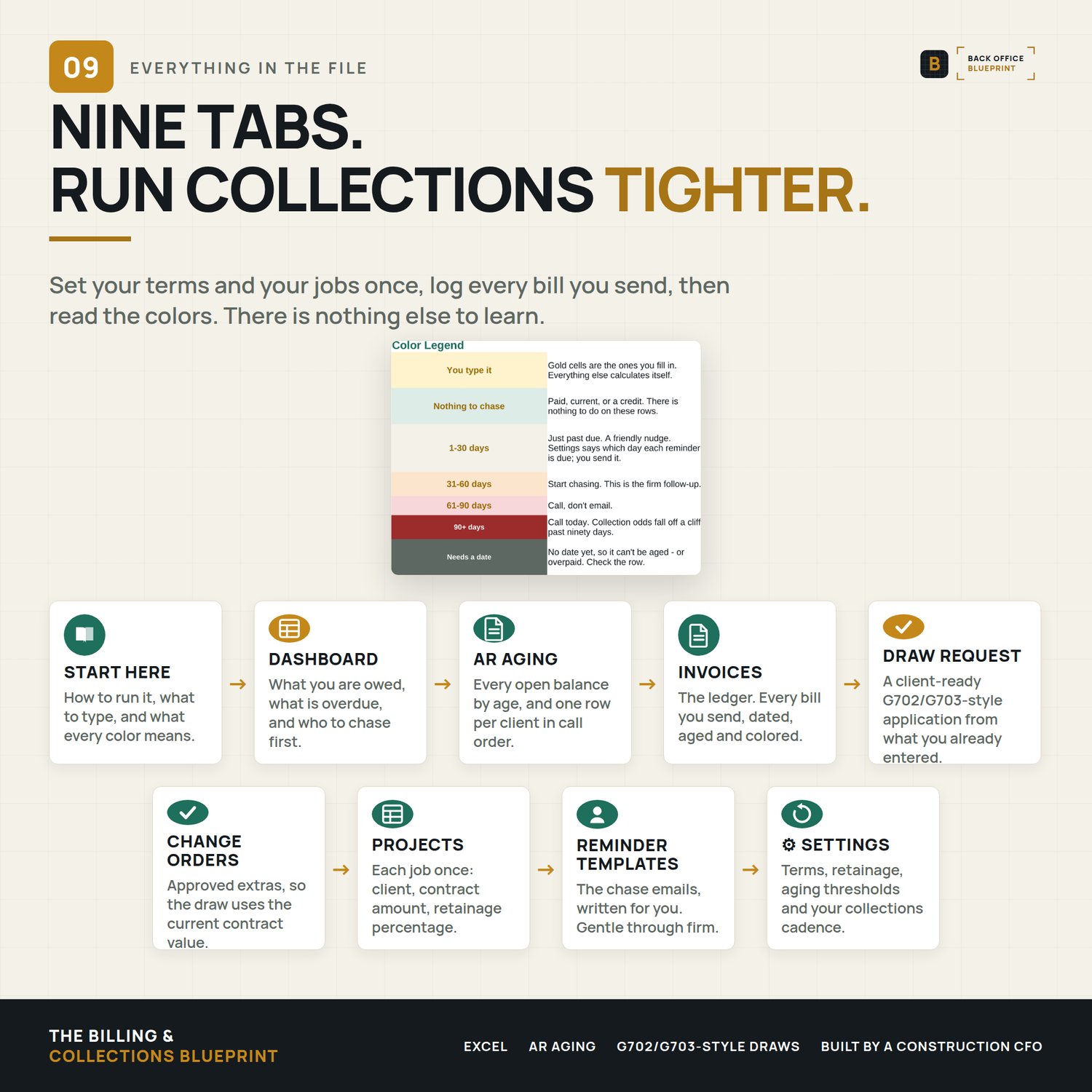
- Invoice & Draw Ledger — type a few fields; it calculates due date, retainage held, net due, balance, days outstanding, aging bucket, and status automatically.
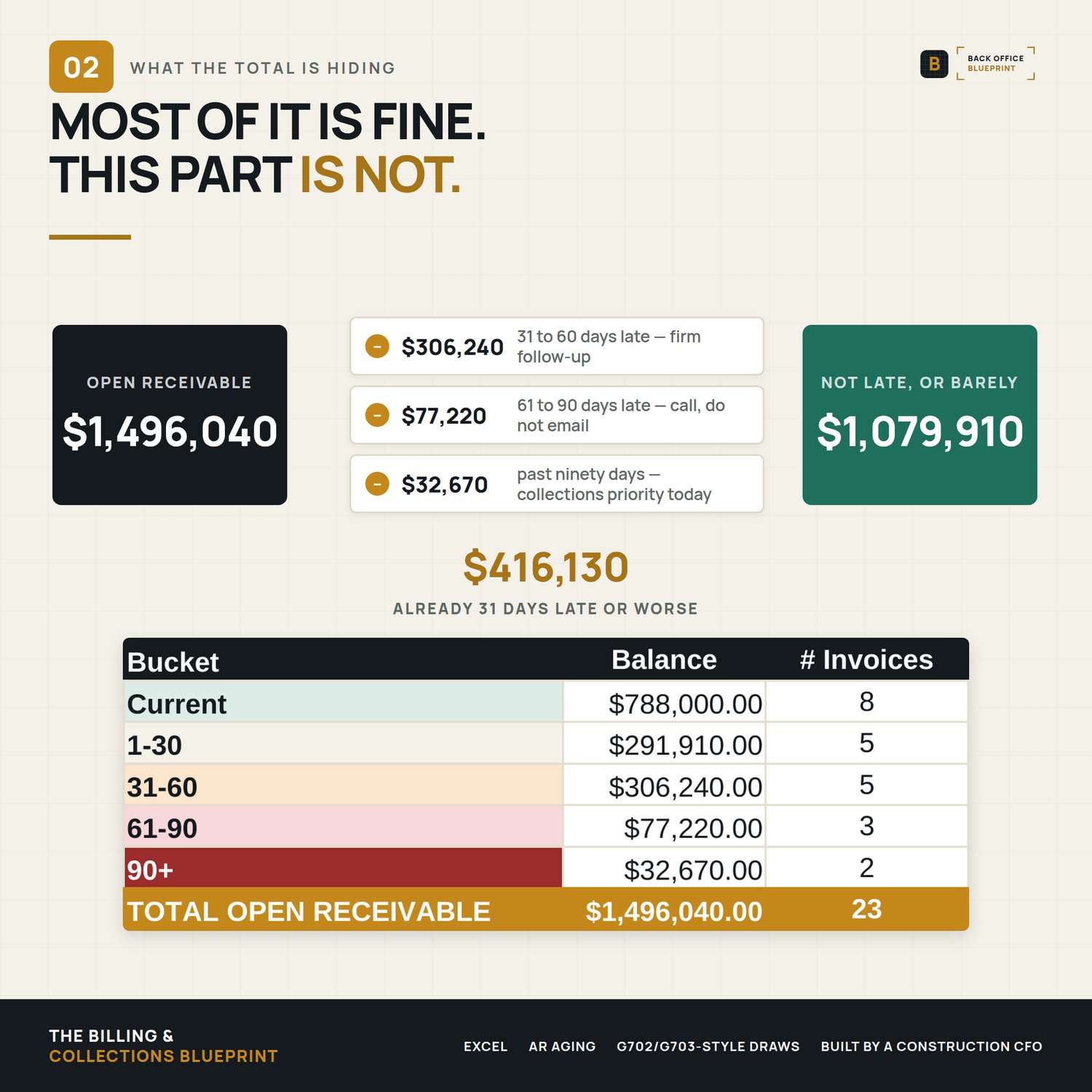
- Automatic AR Aging with a color heatmap — invoices color themselves as they age (Current → 1-30 → 31-60 → 61-90 → 90+). Thresholds are yours to set.
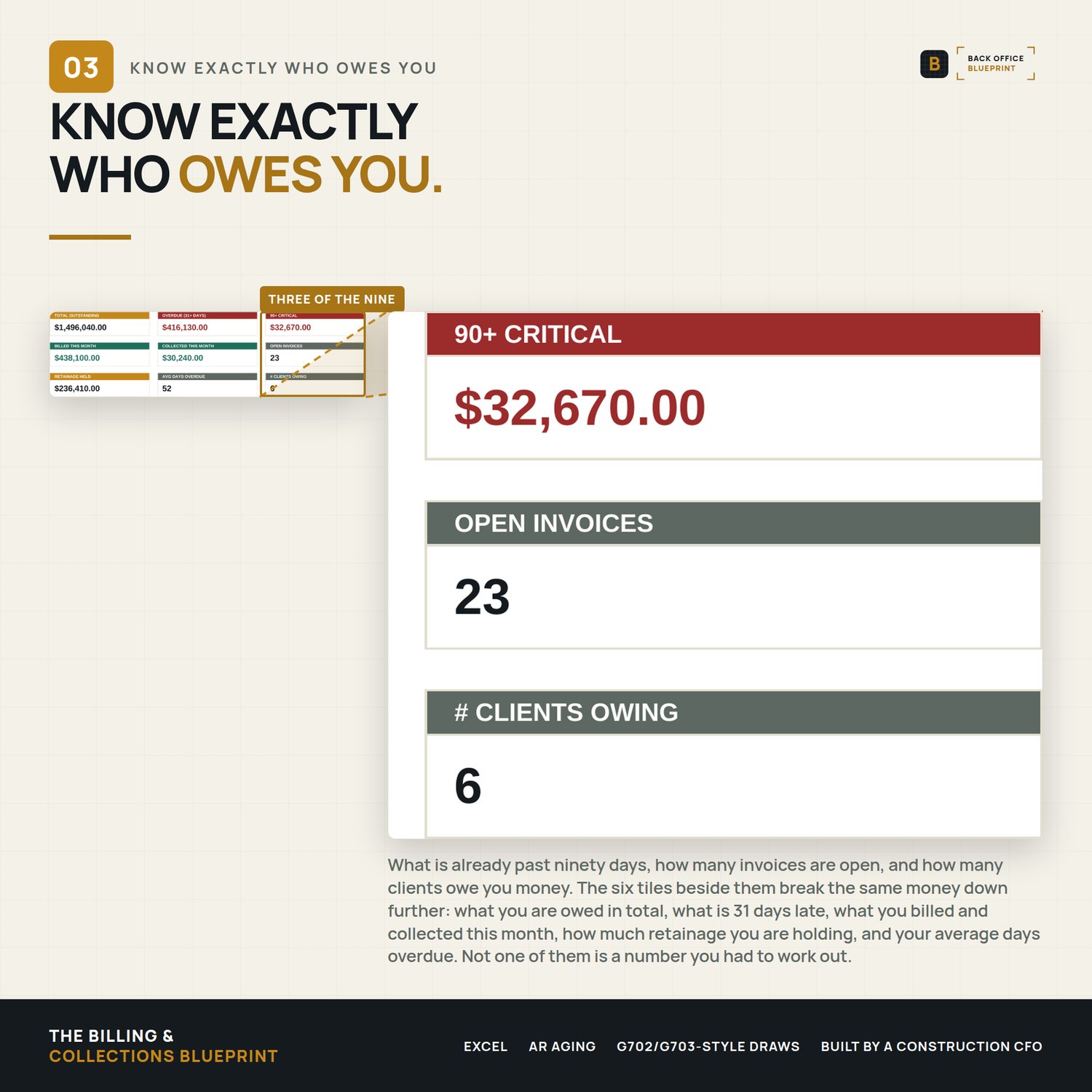
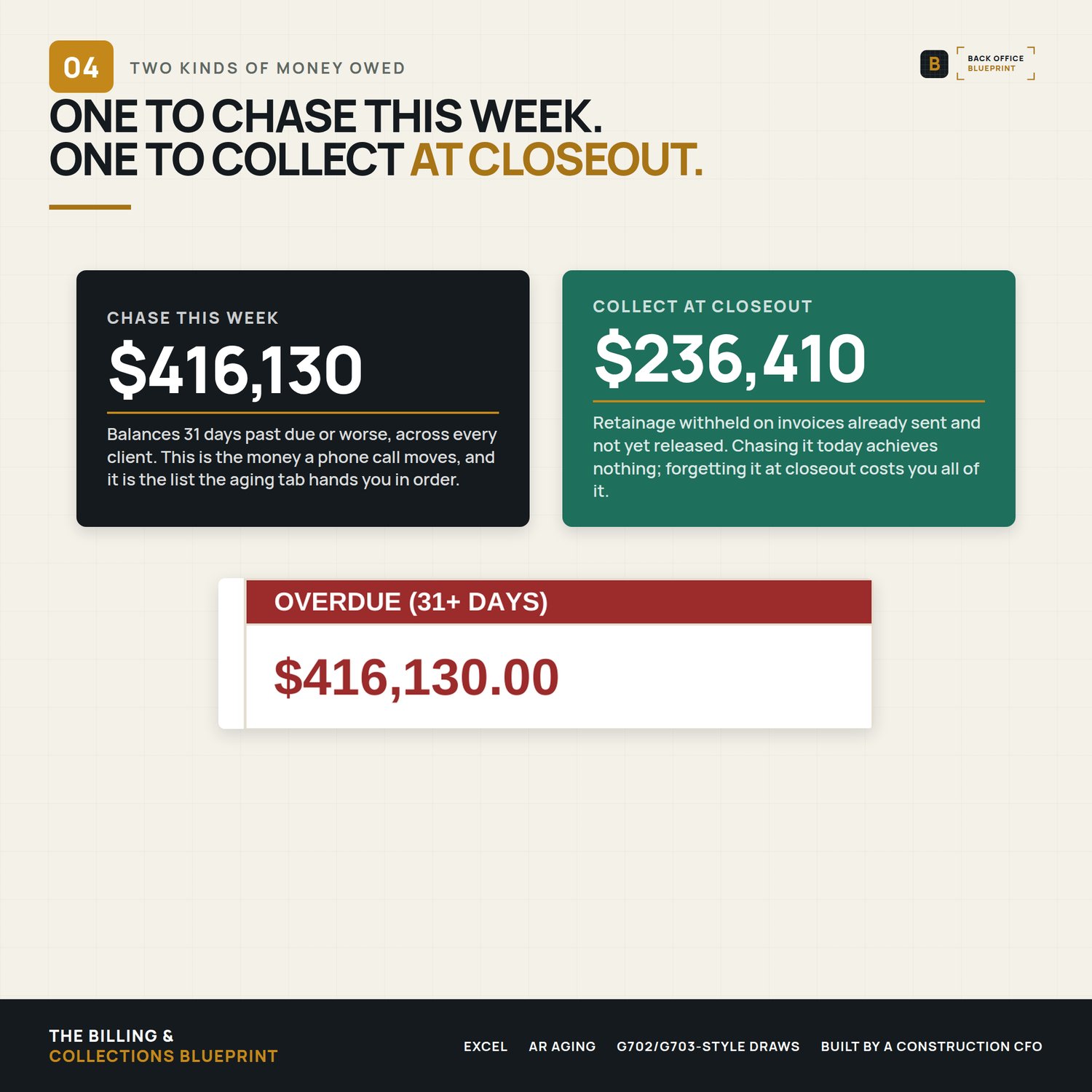
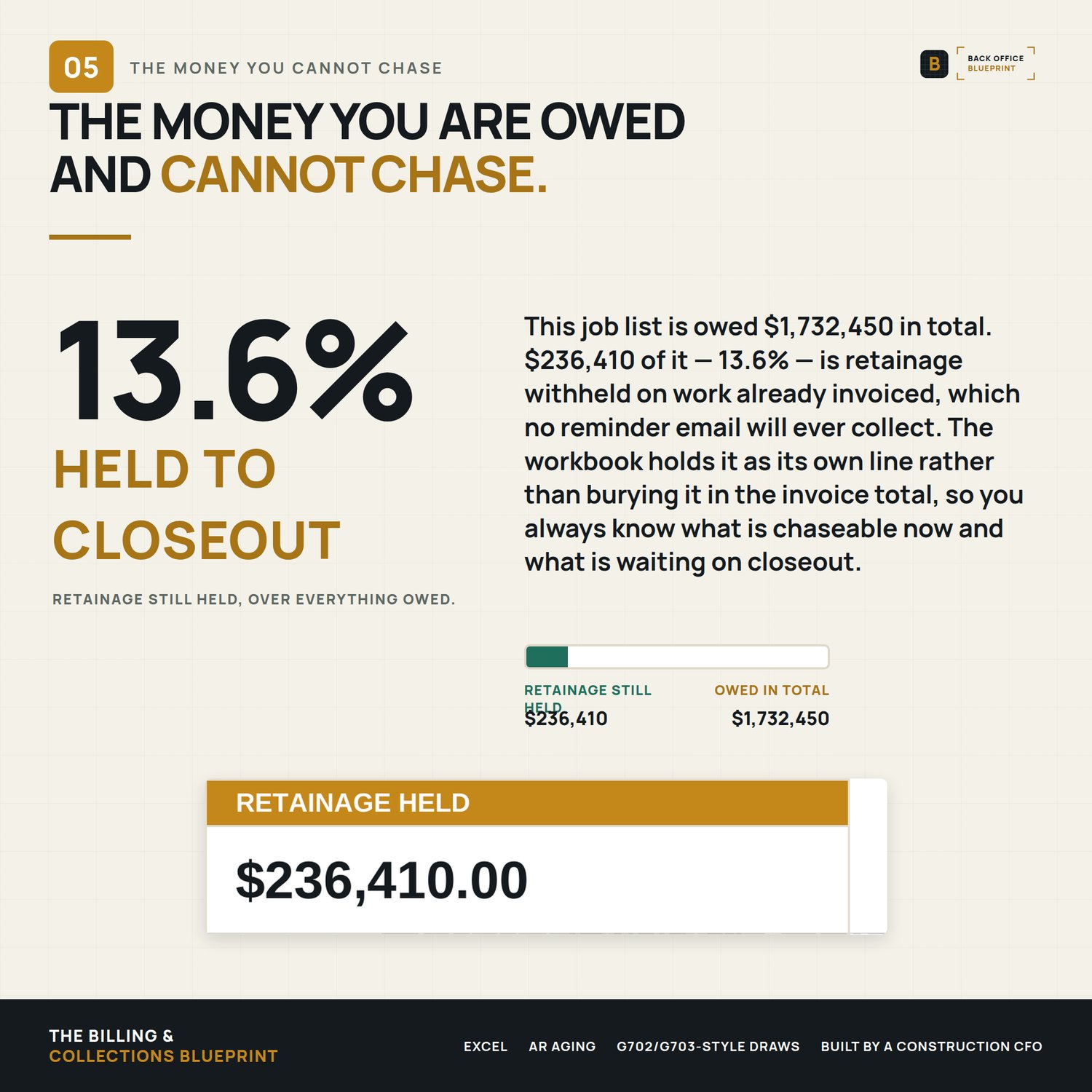
- The Cash Flow Command Center dashboard — total outstanding, overdue, 90-day critical, retainage held, billed vs. collected this month, and a live aging chart.
- AR Aging by client — a priority-ordered breakdown of exactly who owes what, so your Monday call list writes itself.
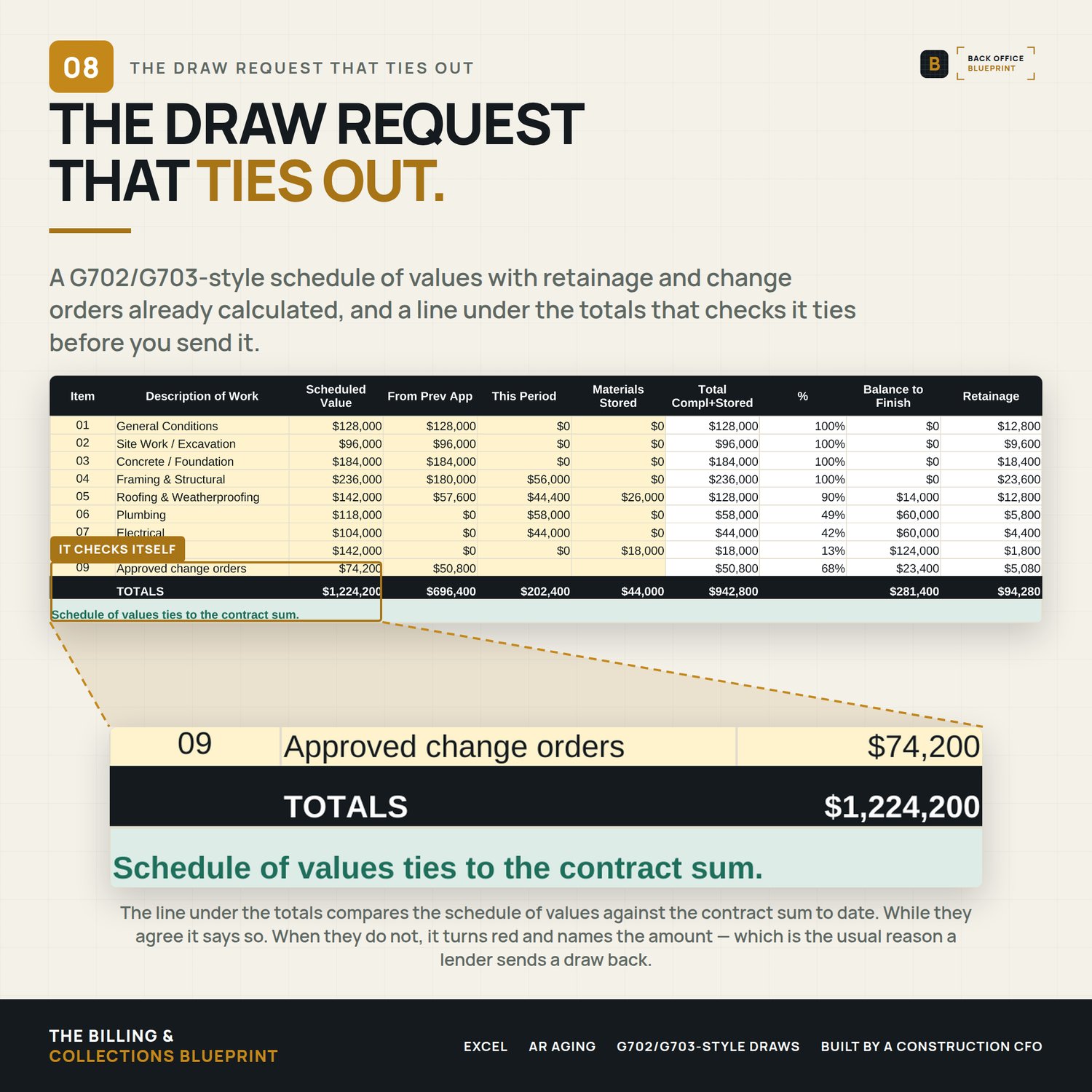
- Client-ready Draw Requests (G702/G703-style) — a real schedule of values with % complete, materials stored, balance to finish, retainage, and a full application-for-payment summary.
- Change Order log — tracks approved changes and rolls them into the contract sum on your draws.
- Four reminder-email templates — friendly nudge, firm follow-up, final notice, and account statement.
- A filled demo + a step-by-step user guide — see it in action, then start fresh and go live in 15 minutes.
WHAT IT IS NOT
A self-contained Excel system, not accounting software. It doesn't sync to your bank or replace QuickBooks for the general ledger — it's the billing-and-collections layer construction accounting does poorly. Works in Excel for Windows and Mac. No add-ins, no logins, no monthly fee.
PAIRS WITH
The Lien Waiver System — this system chases the money coming in. That one makes sure nothing goes out without a signed release behind it, so you are not paying twice for the same work.
The Company WIP & Over/Under Billing System — this system tracks what you have billed and collected. That one tells you whether what you billed matches what you actually earned, which is where over-billing turns into a liability instead of cash.
The Draw Schedule Builder — this system chases what is already owed. That one sets the payment schedule before you sign, so there is less to chase: getbackofficeblueprint.com/b/construction-draw-schedule-builder
FAQ
Do I need to install anything? No — open it in Excel and it works right away.
Does it work on a Mac? Yes — Excel for Windows and Mac.
Is it a subscription? No — one price, yours forever.
Questions? We answer personally — hello@getbackofficeblueprint.com